How to get your medical records: Kaiser Permanente NorCal

Kaiser NorCal streamlined their online ROMI (Release of Medical Information) process.
Before finding this, I remember spending countless hours trying to figure out who to call and being informed I was calling the wrong place. Where was I supposed to call? Was it ROMI's main office? Was it the specific place I got the scan done?
I was transferred department to department before finally reaching the right person who could ensure I would get a CD of an MRI mailed to me.
Perhaps there was an online way to do this before, but I was not aware of it.
Currently there seems to be a simple process to get your medical records! As of a recent check (08/22/2025) Kaiser Permanente NorCal ROMI is available online via an accessible medical records request form.
Why do you want access to your own medical records?
- Disability applications
You may want or need your medical records if you are applying to disability. Submitting your own medical records can sometimes hasten the application process.
- Second opinions
Radiologists are trained to look for specific signs on imaging. Their reports are also based on your provider’s request.
It’s possible that they will catch incidental findings, however, specialists and/or certain radiologists can look for things that may be missed in routine imaging.
For example, there are special measurements used to evaluate Chiari, cervical-cranial instability, tethered cord.
- Moving to a different area or seeing a new medical provider
Having access to your own medical records, including imaging studies that contain both the report and imaging studies may be helpful if you are having a new provider look at your case.
Many providers are able to see our medical records if you have opted into centralized charting. However, there are some instances where this sin't the case.
Although many providers are able to see our medical records if you have opted into centralized charting, sometimes providers aren't able to access notes online easily through certain medical entities (this can happen if you move out of Kaiser specifically).
Additionally, f you are moving countries, your new provider may not have access to any of your medical records, so if you want them to be aware of your medical history, you may have to manually submit them.
- Curating your own 'highlights' page
While providers may sift through your notes, sometimes providers come into your appointment with no knowledge of your case.
You may want to present a curated 'highlights' page to them. This helps avoid spending that time getting a provider up to date on your entire medical history.
Providers see many patients every day and doing this can help you make the best of the time you have your provider.
My files are still relatively comprehensive. They include things like procedures and chart notes. However, I won't include things like every single direct message I or my providers have sent the portal. (These messages are part of why my chart is over 1,000 pages long).
Presenting a summary of your medical history can save you and your provider energy and help you focus on one or two goals during the appointment.
- Preventing errors:
My personal medical records are thousands of pages long. I don't expect a provider to or myself remember everything correctly; we are human.
Presenting a 'highlights' page and having a binder of important procedures and tests helps keep me organized. If a provider asks if I have had a specific test, I can easily bring up my binder or the date when a test was run and show them the results.
How you can request medical records:
- Go to Kaiser's online submission form
- Fill out the requested information (about 4-5 sections)
- Press submit.
- Keep track of your case number and follow up if you don't receive it in the specified time frame.
You will need: the dates or date range of the medical records you want. You may want to specify what they are like "transvaginal ultrasound 00/00/0000" or "X-ray pelvis 01/01/1990"
Notes:
I wanted raw files of my imaging in addition to the reports so I could get second opinions on images for an upcoming rheumatologist appointment.
I have provided screenshots of a request below. My example is specifically for requesting radiology images and reports.
I wanted to request imaging, so not only did I select the drop down for that, but I specified both imaging and imaging reports again in the notes because that's who I am as a person. Just selecting it int the drop down and providing the image dates (when you got the x-ray or image done) as well as the kind of imaging that was done will probably suffice.
Sometimes if you request your entire medical record, they may send you a password protected .pdf file. This file, while more secure, is harder to share with medical providers due to the password needed to open it.
Screenshots of a Kaiser imaging request
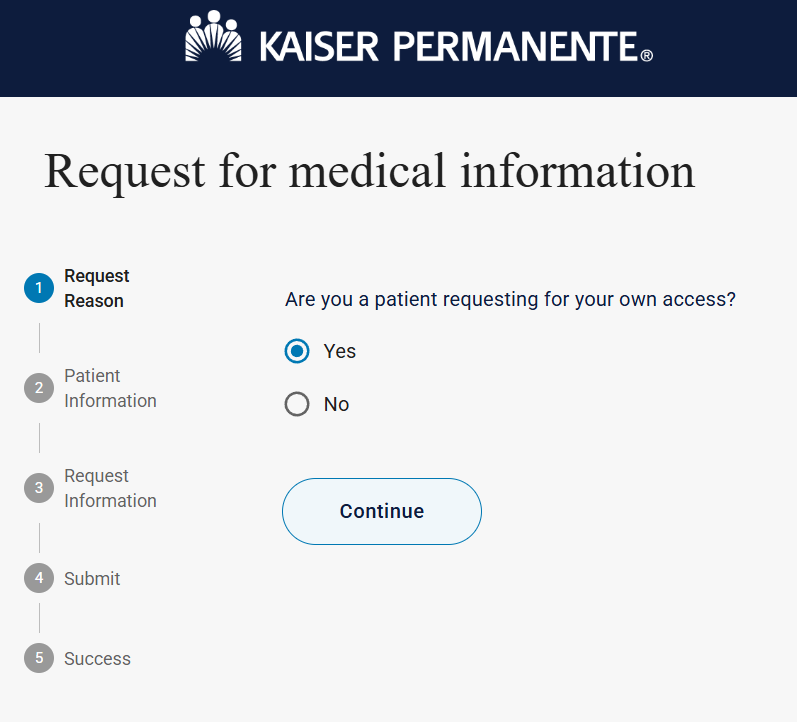
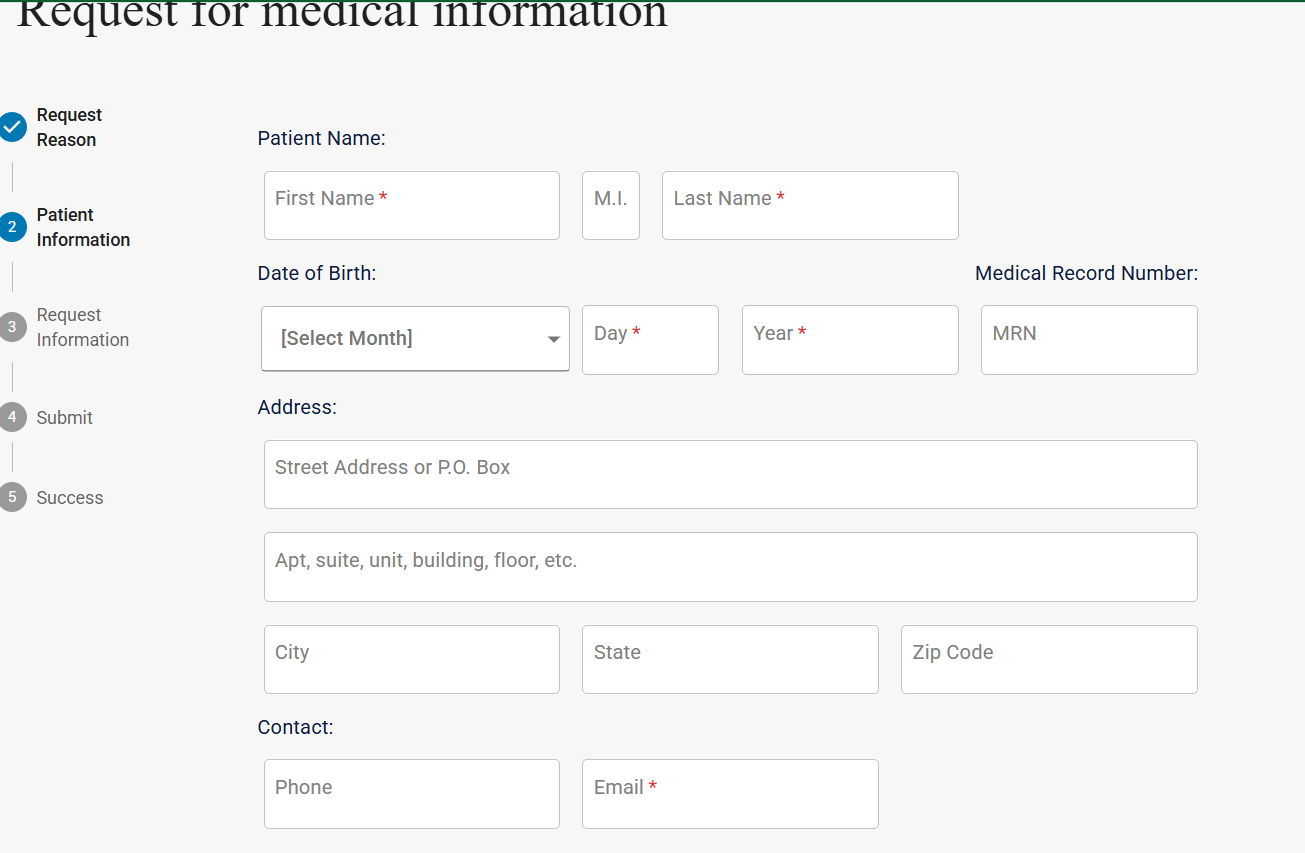
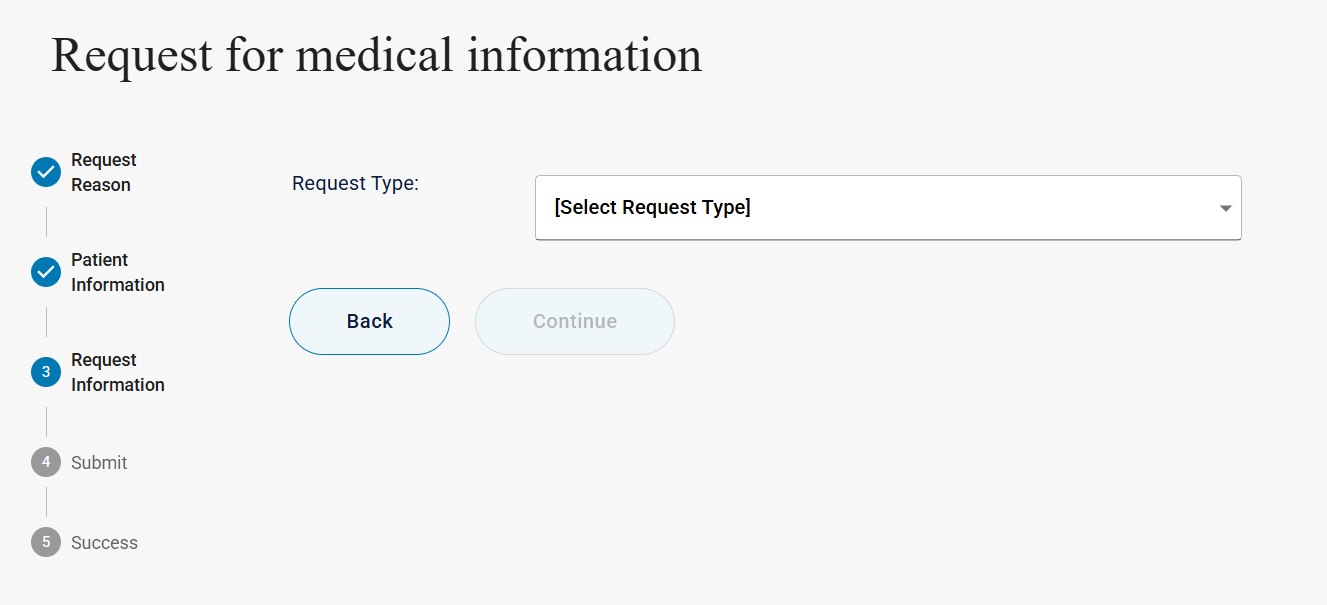
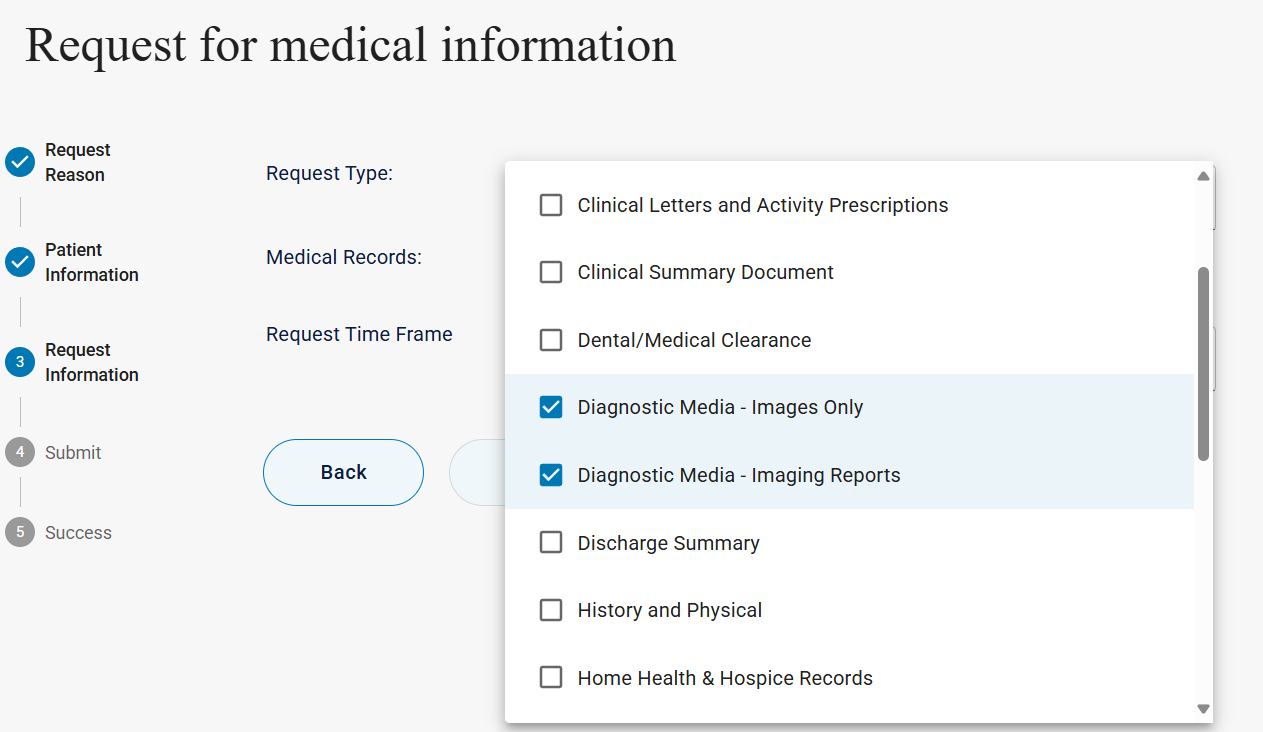
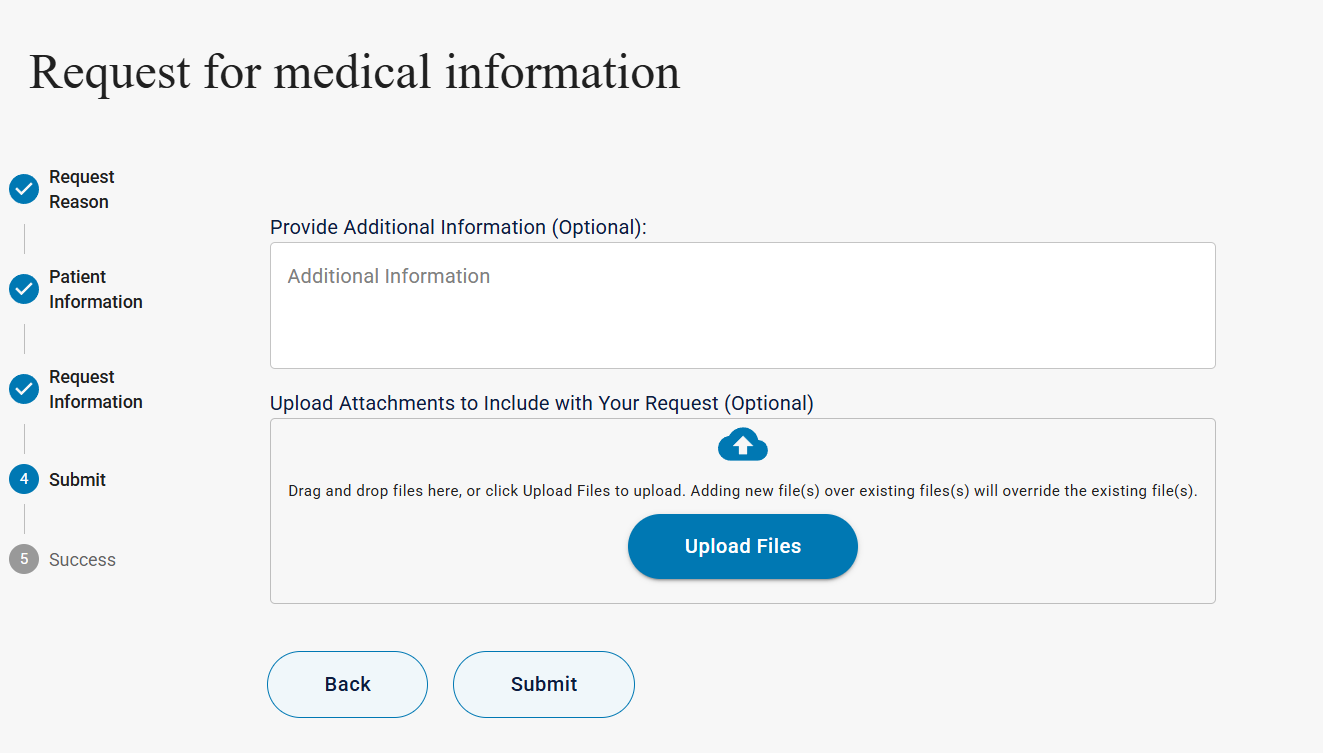
Image description of screenshots:
- Kaiser Permanente request for medical information. This is the Request reason section. It prompts the user to add patient information and the request information. It asks the user if you are a patient requesting for your own access? and prompts the user to submit or go back.
- Kaiser Permanente request for medical information. this is the patient information selection. it prompts the user to add their name, date of birth, MRN, address before prompting the user to submit or go back. Only name, date of birth and email are required, shown for users with an asterisk.
- Kaiser Permanente request for medical information. This is the request information section. It prompts user to a drop down for request type before prompting the user to continue.
- Kaiser Permanente request for medical information page continued. Once the user has selected types, the page prompts the user to select a request type drop down, enter what kinds of medical records and their timeframe. The screenshot includes part of the drop down sections. In the screenshot, Diagnostic media - images only and diagnostic media - imaging reports are selected. The whole drop down list shown includes: clinical letters and activity prescriptions, clinical summary document, dental/medical clearance, diagnostic media - images only, diagnostic media- imaging reports, discharge summary, history and physical home health & hospice records.
- Kaiser Permanente request for medical information page. This is the provide additional information section. It prompts the user to add additional information and then upload attachments. Both are optional.